Yubikey tutorial for cyber security and privacy
What is GPG and PGP?
PGP stands for Pretty Good Privacy and is the encryption software developed by Philip R. Zimmermann then commercialized by a security software company. Ironically, he was accuesed for allegedly violating the Arms Export Control Act because CIA cannot read your emails anymore. CIA is an organization full of people with good intentions and they just want to read emails from some terrorists in order to protect citizens. Since no one can trust the encryption software owned by a company, people came up with OpenPGP, which is an open source standard for encryption technologies.
GPG stands for GNU Privacy Guard. GPG is a different implementation of the Open PGP standard and a strong alternative to Symantec’s official PGP software. Critical softwares such as GPG and PGP won’t be trusted by people if they are not scrutinized under the public eyes.
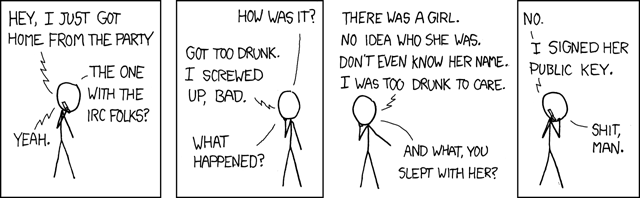
Build a Web of Trust
Why spend $100 on two Yubikeys not Wagyu steak?
Because passwords are obviously not able to protect you from cyber attacks to take over your accounts on the internet at all as they claim to but mathematics can save you from being hacked even though in reality you are still not 100% safe. If you hold one billion bitcoins and pass the private key on an encrypted channel, those malicious attackers won’t mind spending 10 million dollars to rent super computers and wait 10 years to crack you open or the State can do it for free. However, encryption with physical security key significantly increases the difficulty and time to compromise your password or private key.
Yubikey has secrets written in its two internal slots that cannot be extracted or cloned and three wrong attempts to enter the PIN will detonate an atomic bomb inside to destroy the secrets forever unless the Yubico company was asked by NSA to maintain a secret copy of the serial number of your key and its secrets or you are tortured in a black jail to give away the PIN before you are cut into pieces. Actually after 3 wrong attempts you have to enter the Admin PIN to unlock it so in total you are given 9 attempts before the key becomes irrecoverable. You probably can’t fool the interrogators 9 times in a black jail. I believe Yubikey let you change the maximum number of wrong attempts somewhere in the setting.
Two-step authentication with FIDO2
Literally the best way to protect you from unauthorized login and passwords should be abandoned in the future. I used to think two factor authentication from text messages is enough to provide security until I learned someone can even build a fake celluar signal tower to hack you when you are the CEO of a crypto exchange company.
The setup is too simple to even mention: 1. Plug in the yubikey to register the key on the websites that support FIDO2 two-factor authentication. 2. Next time you log in, the website asks you to insert your key and touch it to authenticate.
Set up GPG with Yubikey
If you are paranoid enough to believe that the Big Brother colluded with Bill Gates and installed a hidden TeamViewer on your Windows machine to monitor every single one of your moves, I highly recommend using Tails: A portable Operating System that protect against surveillance and censorship from an USB stick in a clean offline environment to generate the key and import it into Yubikey. Use on-screen keyboard if you are even more paranoid to believe your keyboard is wiretapped. For what? The nano robots injected into your body from the Covid vaccine can still read your mind! Just kidding. Come on you are not that rich and important. Hackers and Big Brothers won’t give a shit about you and this post is only for powerful people like Angela Merkel so don’t waste $100 on two Yubikeys while you can eat some good Wagyu steak instead. Or maybe you want to claim superiority over less tech-savvy people who lowkey judge you for not using an iPhone and think iPhone provides the best security:)
For creating a bootable media, Ventoy is so far the best tool to create multiple bootable USB installation drives without even burning a new OS into the USB stick every time like in old days but just copy multiple ISO images to your USB stick and Ventoy will magically let you choose which OS to boot from at startup.
Generate GPG keys
Master secret key is the ultimate source of reputation while subkeys (signing keys, encryption keys and authentication keys) are associated with and derived from the master key. Master key can revoke them if subkeys are compromised. * Generate master secret key and list keys in editing mode. <KEYID> could be your name, email you used in master key genertion (easy to remember and type) or the long unique ID of your key. By default, an encryption subkey is generated together with master key but we can generate it again. 1
2
3# Enter name, email, passphrase and choose RSA4096
gpg --expert --full-generate-key
gpg --edit-key <KEYID>
Add subkey for signing and save the key otherwise the key will disappear when you exit the editing mode
1
2
3
4gpg> addkey
# RSA (sign only)
gpg> 4
gpg> saveAdd subkey for encryption
1
2
3
4
gpg> addkey
# RSA (encrypt only)
gpg> 6
gpg> saveAdd subkey for authentication
1
2
3
4
5
6
7
8
9
10
11
12
13
14gpg> addkey
# RSA (set your own capabilities)
gpg> 8
# Possible actions for a RSA key: Sign Encrypt Authenticate
# Current allowed actions: Sign Encrypt
# Disable Sign
gpg> S
# Disable Encrypt
gpg> E
# Turn on Authenticate
gpg> A
# Finished
gpg> Q
gpg> saveDelete one of the keys for encryption (Optional)
1
2
3
4
# Select the key
gpg> key 1
gpg> delkey
gpg> saveBack up keys. Note that master secret keys cannot be exported to yubikeys and you should make a backup. Only subkeys, signing keys and encryption keys can be exported and you may want to make a backup for subkeys too
1
2
3
gpg --armor --export-secret-key <KEYID> >> /some/secure/location/<KEYID>-master.key
gpg --armor --export-secret-subkeys <KEYID> >> /some/secure/location/<KEYID-sub>.key
gpg —-import /path/to/secret-key-backup.ascUpload to the key server so everyone knows your public key
gpg --keyserver hkp://keys.gnupg.net --send-key 48CCEEDFFollow this link How to revoke keys if you want to revoke a key. The revoke certificate is like an encrypted message with the word “REVOKED” in it and when you upload that encypted message to the keyserver, the keyserver will notify anyone who downloads your public key that your key is compromised but if someone only gives you this public key in private you won’t know if that key is revoked or not.
Move keys to store on Yubikeys
Plug in your yubikey and may need to enter your Admin PIN. The keytocard operation is destructive that it will remove the local copy once the keys are moved into the Yubikeys so it’s your responsibility to make a backup for subkeys if you want to recover the subkeys or copy the subkeys to another backup Yubikey. Using only one key for all signing, encryption and authentication may have security vulnerbilities that could be exploited to compromise your keys and that’s why we have 3 separate subkeys for each purpose. 1
2
3
4
5
6
7
8
9
10
11
12
13
14
15# Select the signing key
gpg> key 1
gpg> keytocard
# Please select where to store the key: (1) Signature key (3) Authentication key
# Unselect the signing key
gpg> key 1
# Select the encryption key
gpg> key 2
gpg> keytocard
# Unselect the encryption key
gpg> key 2
# Select the authentication key
gpg> key 3
gpg> keytocard
gpg> savegpg --edit-card to check if the subkeys are imported correctly into the yubikey.
Export public key for SSH authentication
Storing the private keys on your machine for SSH is never a good idea because the keys could be easily accessed from memory or disk when you machine is hacked. Even though your private key is protected by a passprase, it takes only seconds to break it if your passphrase is “helloworld” or maybe weeks for a little longer passphrase.
- Export the public key for SSH authentication, it’s the public key that associated with the subkey for authentication not for signing and encryption purposes. The signing subkey is used for signing git commits and we don’t need to export the siging subkey. If we jump to a new machine and our keys are not in the keyrings, we need to export masterkey and subkeys or download them from a key server, then import them into gpg keyring with
1
gpg --export-ssh-key <KEYID> > XXX.pub
gpg --import XXX.puband check if our keys are imported withgpg --list-keys. - Enable SSH and Putty support on
gpg-agentby changing it in GUI or this can be done by adding the lineenable-putty-supporttogpg-agent.confinC:\Users\%USER%\AppData\Roaming\gnupgon Windows. For linux environment, create a file~/.gnupg/gpg-agent.confand addenable-ssh-supportto it. Next time you connect to a server with SSH, it uses the private key on your smart card first and then fall back to traditional SSH authentication when the smart card is not available. In this way, Github knows it’s really you (the yubikey owner) who pushed the commit not someone who stole your private key and passprase. - Publish your public key
XXX.pubto a key server so other people can download your key and sign your key to build a network of trust. The key server where I upload all my public keys ishttps://keys.openpgp.org/and your email address needs to be verified.
Sign your git commits with GPG
- Export public key
gpg --armor --export KEYID > KEYID.ascand upload the public key to Github. - Install GPG4Win and run
Kleopatrato enablegpg-agentthat can detect keys and pop up prompts for you to enter PIN or password. Ifgpg --edit-carddoes not show card info, go to settings inSettings/Configure Kleopatra/GnuPG System/smartcardsand addYubico YubiKey OTP+FIDO+CCID 0toconnect to reader at port Nand check card status again withgpg --card-status - Enable SSH support, go to settings in
Settings/Configure Kleopatra/GnuPG System/Private Keysto toggle onEnable SSH SupportandEnable Putty Support. - Restart
gpg-agentto take effect and alternatively you can manually change settings in~/.gnupg/gpg-agent.confif you are running on a Linux machine.1
2gpg-connect-agent killagent /bye
gpg-connect-agent /bye - Local Git configuration
1
2
3
4
5# Run this command only if `gpg` commands cannot be found in the path but usually do not have to specify it after `GPG4Win` is installed correctly
git config --global gpg.program "C:\Program Files (x86)\GnuPG\bin\gpg.exe"
git config --global user.signingkey <KEYID>
# Optionally, force all commits to be signed
git config --global commit.gpgsign true - Test GPG signed Git commits and
verifiedwill show on each GPG signed commit. Since Git version 2.2.0 it is also possible to sign git pushes by doinggit push --signed. This is used to prove the intention the author had of pushing a specific set of commits and have them become the new tip of some branch. Now if you crush down the production server with a bug in your commit, you have no excuses! Actually,git push --signedis not supported on Github yet so you still have the excuse.1
2git tag foo-1.0 -S -m "Release 1.0 of Foo"
git commit -S -m "Initial commit"
Configure GPG and SSH authentication in WSL2
This repo https://github.com/BlackReloaded/wsl2-ssh-pageant provides a way to connect to GPG and SSH in Windows from WSL2.
Install
socatandsson WSL2 withsudo apt install socat iproute2Download
wsl2-ssh-pageanton WSL2 and make it executable1
2
3
4
5# WSL2
mkdir ~/.ssh
wget https://github.com/BlackReloaded/wsl2-ssh-pageant/releases/download/v1.2.0/wsl2-ssh-pageant.exe -O ~/.ssh/wsl2-ssh-pageant.exe
# Set it to be executable
chmod +x ~/.ssh/wsl2-ssh-pageant.exeAdd the following to your shell configuration (for e.g.
.bashrc,.zshrcorconfig.fish)1
2
3
4
5
6
7
8
9
10
11
12
13
14
15
16
17
18
19
20
21
22
23export SSH_AUTH_SOCK="$HOME/.ssh/agent.sock"
if ! ss -a | grep -q "$SSH_AUTH_SOCK"; then
rm -f "$SSH_AUTH_SOCK"
wsl2_ssh_pageant_bin="$HOME/.ssh/wsl2-ssh-pageant.exe"
if test -x "$wsl2_ssh_pageant_bin"; then
(setsid nohup socat UNIX-LISTEN:"$SSH_AUTH_SOCK,fork" EXEC:"$wsl2_ssh_pageant_bin" >/dev/null 2>&1 &)
else
echo >&2 "WARNING: $wsl2_ssh_pageant_bin is not executable."
fi
unset wsl2_ssh_pageant_bin
fi
export GPG_AGENT_SOCK="$HOME/.gnupg/S.gpg-agent"
if ! ss -a | grep -q "$GPG_AGENT_SOCK"; then
rm -rf "$GPG_AGENT_SOCK"
wsl2_ssh_pageant_bin="$HOME/.ssh/wsl2-ssh-pageant.exe"
if test -x "$wsl2_ssh_pageant_bin"; then
(setsid nohup socat UNIX-LISTEN:"$GPG_AGENT_SOCK,fork" EXEC:"$wsl2_ssh_pageant_bin --gpg S.gpg-agent" >/dev/null 2>&1 &)
else
echo >&2 "WARNING: $wsl2_ssh_pageant_bin is not executable."
fi
unset wsl2_ssh_pageant_bin
fiShut down WSL2 in Windows terminal
wsl.exe --shutdownand restart it again.Connect to GPG and SSH from inside the WSL2 with commands
ssh-add -Landgpg --card-statuswhen yubikey is inserted. Trouble shooting: sometimes the gpg agent within linux is started and has ownership of~/.gnupg/S.gpg-agent. Try to remove it and restart the WSL2Elevate the trust level in both Windows and WSL2.
1
2
3
4gpg --edit-key <KEYID>
>gpg trust
>gpg 5
>gpg save
Revoke your GPG key and declare on keyserver
List keys 1
gpg --list-keys
Revoke your key 1
gpg --output revoke.asc --gen-revoke key-ID
Import revocation certificate into your keyring 1
gpg --
Search your key on the key-server 1
gpg --keyserver pgp.mit.edu --search-keys key-ID
Send the revoked key to the key-server 1
gpg --keyserver pgp.mit.edu --send-keys key-ID
Import keys
Don’t save your encrypted keys on keybase.io
importing public key
gpg –import my_public_key.pub
importing private key
gpg –allow-secret-key-import –import my_private_key.private
Send messages with GPG encryption
Send GPG signed emails
References
- https://gpg.wtf/
- https://carouth.com/articles/signing-pgp-keys/
- Some best practice for GPG
- https://developers.yubico.com/PGP/
- https://ocramius.github.io/blog/yubikey-for-ssh-gpg-git-and-local-login/
- https://andrewmatveychuk.com/how-to-sign-you-commits-with-gpg-git-and-yubikey/
- https://ttmm.io/tech/yubikey/
- https://codingnest.com/how-to-use-gpg-with-yubikey-wsl/
- https://bhavik.io/2019/02/02/yubikey-git-ssh.html